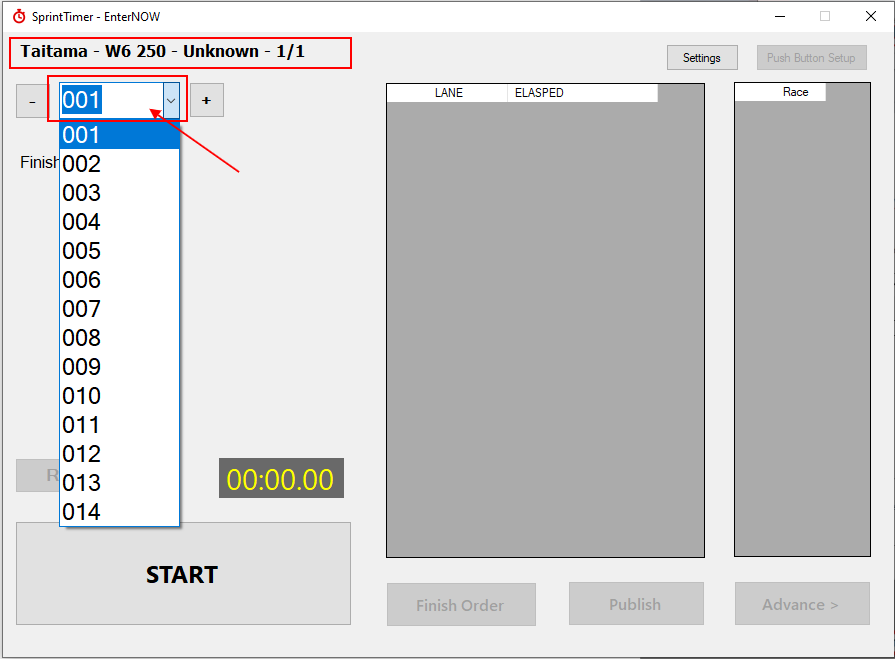
Appearance
Linking RaceMan and SprintTimer
In SprintTimer click on [Settings] and copy the Results Path
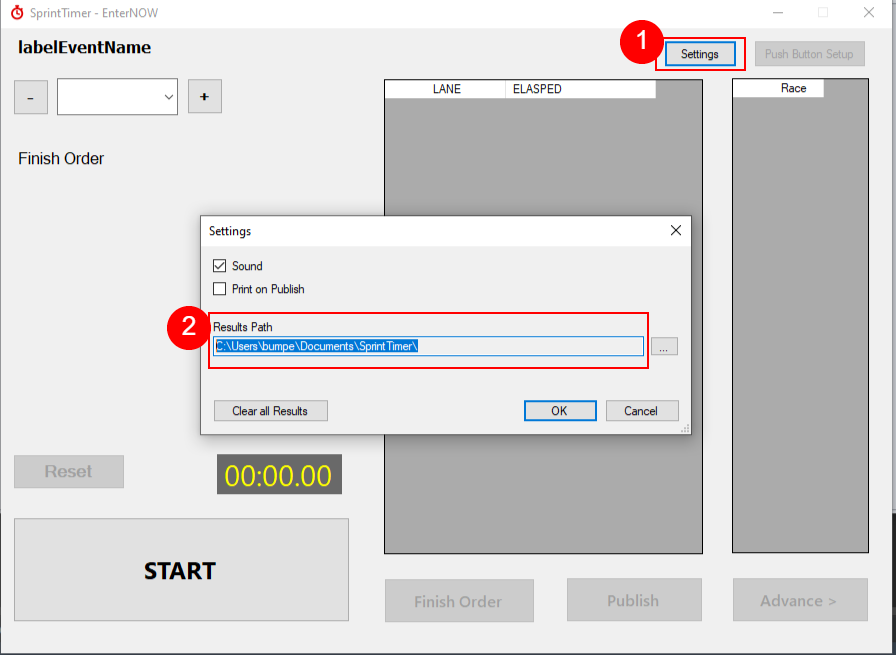
If you are running SprintTimer on a different computer to RaceManager, you will need to map a network folder that can be used by both. We recommend making that folder on the SprintTimer computer so that if there is a network outage, your results will still be able to be saved, for processing later.
In RaceManager go to Timing > Settings in the menu.
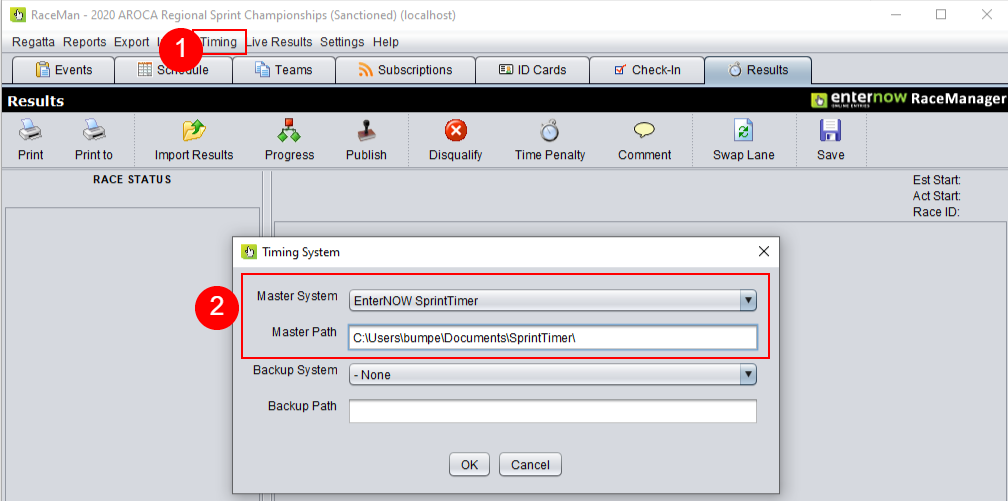
Select EnterNOW SprintTimer from the droplist and paste the Results path into the field below, then click on [OK]
If you are using SprintTimer as your main timing system, then you need to set it up as the Master System. If you have a Finish Lynx or other camera, then it is common to setup SprintTimer as the Backup System
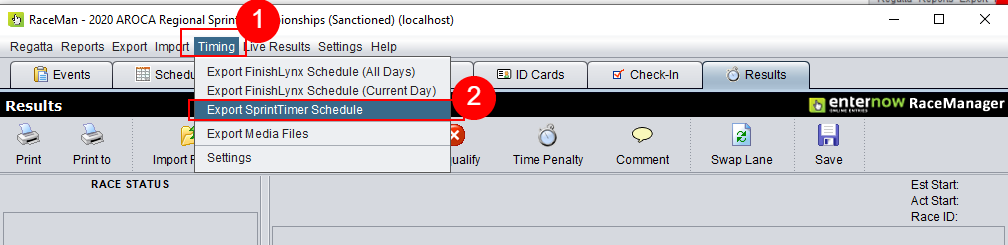
In RaceManager from the menu, click on Timing > Export SprintTimer Schedule
In SprintTimer click on the race droplist and select an race number, that name of the race will be displayed, confirm the event name is as expected.