Appearance
Networking 2 windows computers via a Switch
Go to the Start Menu and type in Network and Sharing Center
Open the Network and Sharing Center
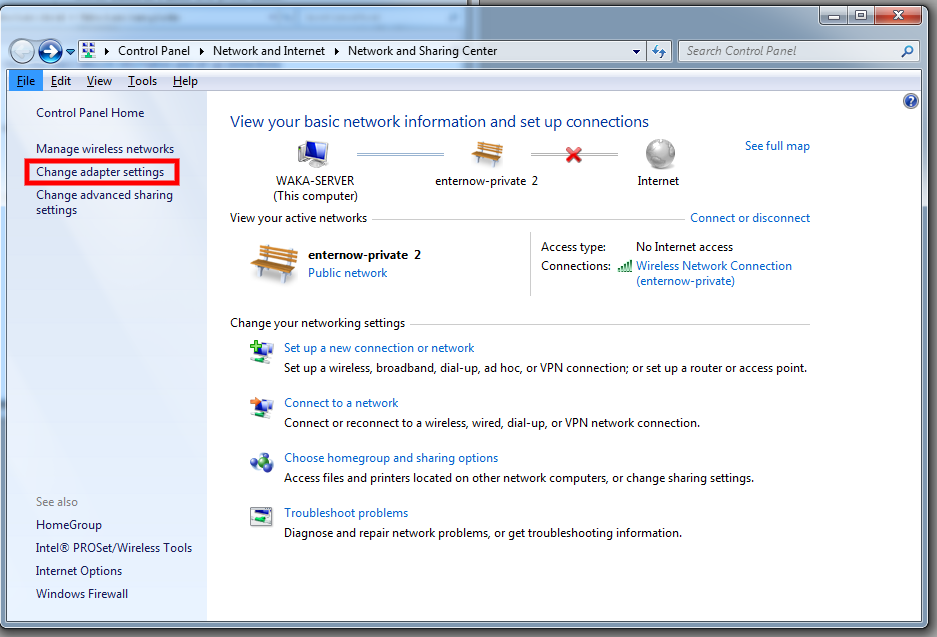
Click on the left hand side, Change adapter settings
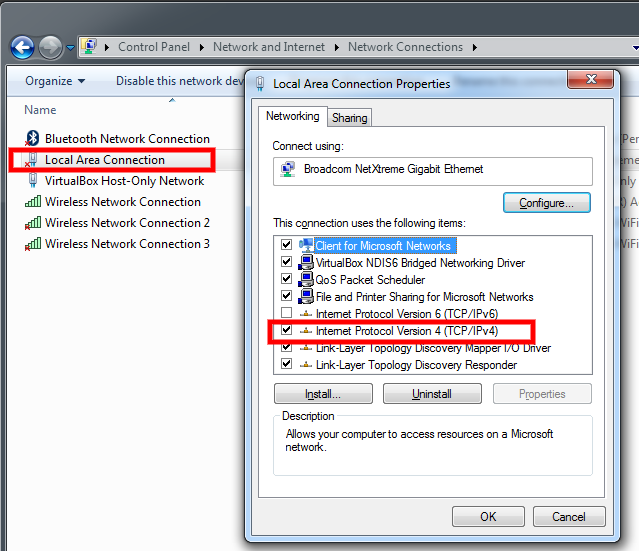
Double Click on Local Area Connection
In the next window double click on Internet Protocol Version 4 (TCP/IPv4)
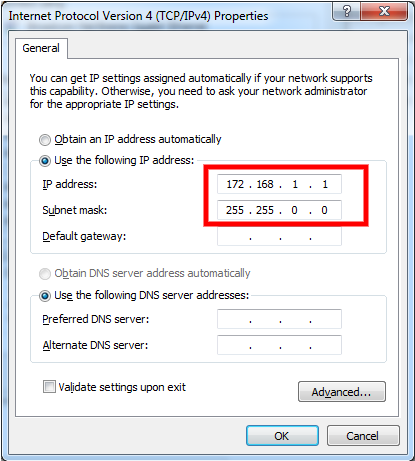
Click on Use the following IP address
On computer A type 172.168.1.1 and press [ OK]
On computer B type 172.168.1.2 and press [ OK]
Connect both computer with network cables to the switch
To test the connection is working
Go to the start menu and type cmd and press [ Enter]
From Computer A type ping 172.168.1.2 and press [ Enter]
and from Computer B type ping 172.168.1.1 and press [ Enter]
The ping should show reply received, if it shows ping timed out, that means it is not working.
